Hermes, Claude Code, Qoder and Antigravity work from one memory, one mission queue and one review gate. You say what done looks like; AgentOS Studio keeps every agent on the same job.
Version 2.6.8Windows, macOS, LinuxFree and MIT licensed
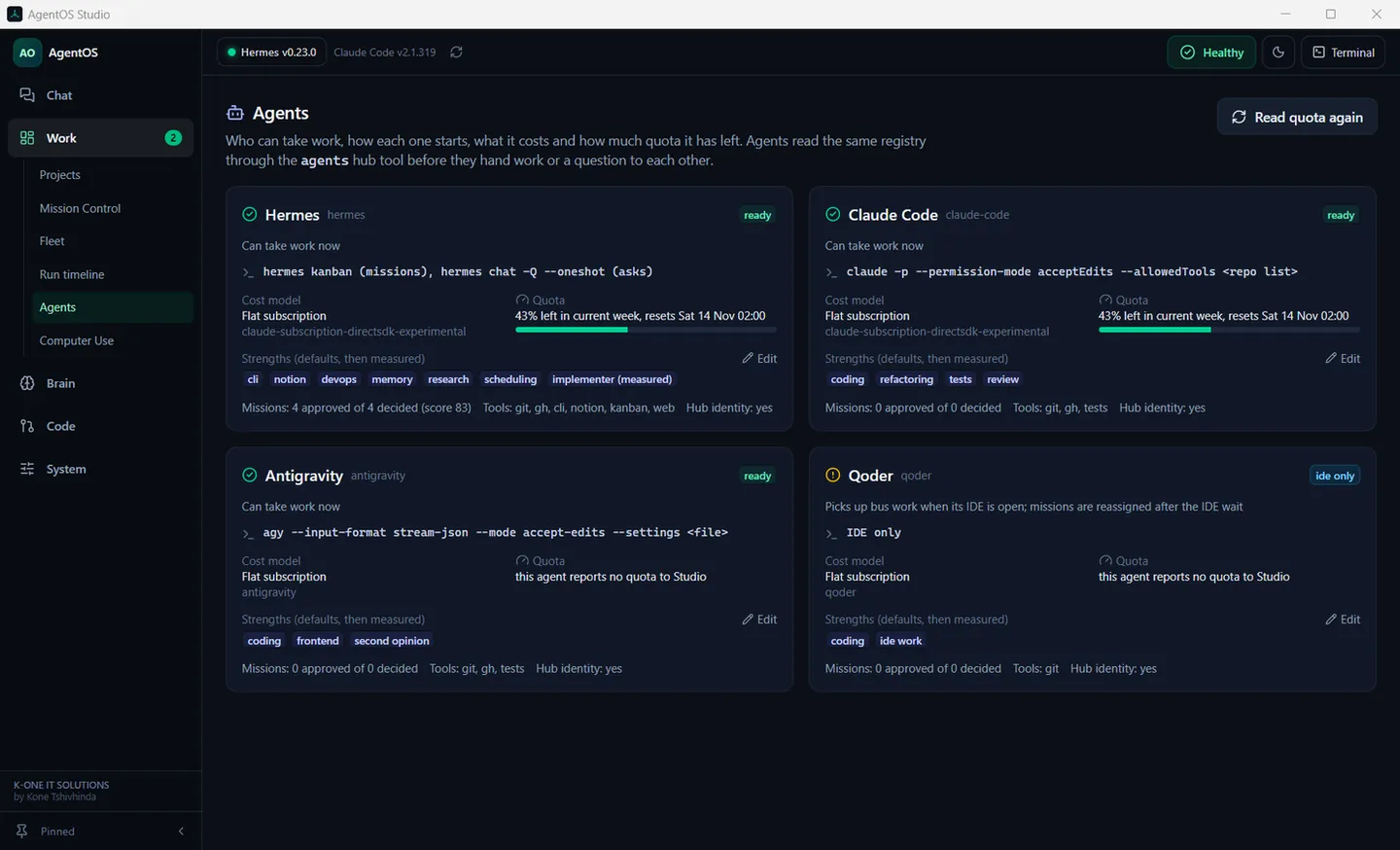
AgentOS Studio, Agents
Review approved by a second agent
4 agents ready
Works with the tools you already have
Hermes
Claude Code
Qoder
Antigravity
Obsidian vault
GitHub
Notion
OpenRouter
Claude Desktop
Cursor
VS Code
Windsurf
Codex
Hermes
Claude Code
Qoder
Antigravity
Obsidian vault
GitHub
Notion
OpenRouter
Claude Desktop
Cursor
VS Code
Windsurf
Codex
4coding agents on one task bus
19shared hub tools every agent can call
7installers for Windows, macOS and Linux
0trackers, accounts or telemetry
What it does
Chat, goals and memory in one window.
No terminals to wire together and no prompts to copy between tools. The agents keep their own accounts and models; Studio gives them a shared desk and a way to finish work.
Chat
Talk to the agent you already pay for.
Pick a folder, pick Hermes or Claude Code, and type. Replies stream with every tool call shown as a card you can open, and an execution record lists the sources read and the agents delegated to.
Chat tab
Goals
Say what done looks like.
Write the outcome in one sentence and how to check it. Hermes plans the missions, agents do them, the checks run at the end.
Work, then Goals
Review gate
Nothing merges unread.
A second agent reviews every pull request. CI must be green and the budget intact before anything lands.
Mission Control
Memory
One brain, in a folder you own.
Every agent reads the same Obsidian vault of Markdown notes. Recall is ranked and decisions are recorded.
Brain tab
Agents
Four agents, one desk.
Hermes, Claude Code, Qoder and Antigravity share one task bus and can hand work or a question to each other.
Work, then Agents
Setup
The app installs its own tools.
Setup checks the machine, installs what is missing and opens the sign-ins. You click; it does the typing.
System, then Setup
Product tour
Eighty four seconds, every view.
A recorded pass through AgentOS Studio 1.3.0 in the light theme: all six groups and 24 views, cut to a beat. Sound stays off until you turn it on.
Jump to
Recorded on a demo machine. No keys, tokens or customer data are on screen.
Inside the app
See it before you install it.
Real screens from AgentOS Studio 1.3.0. Hover or tap a panel to open it.
01 / 03
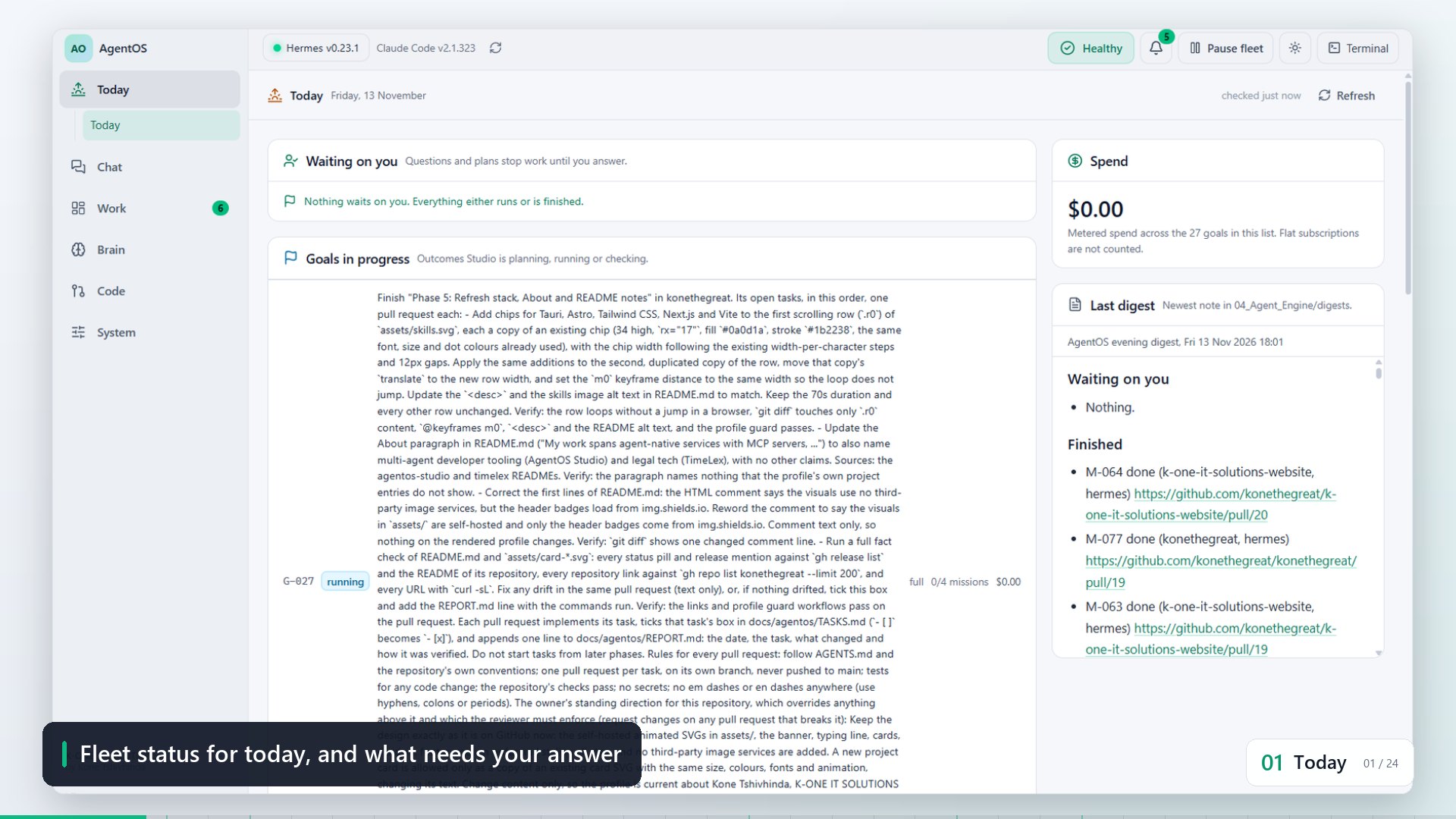
Today: what needs you
Questions waiting on you, goals in progress, running agents, metered spend and the last digest, on one screen when you open the app.
How work gets done
A goal ends in a reviewed merge, not a transcript.
Say what done means.
One sentence for the outcome, plus a check: a command, a web address or a file that must exist.
Hermes plans it.
The goal becomes missions, each with a repository, criteria and a budget.
Agents work apart.
Every mission runs in its own copy of the code, so your folder stays yours.
A second agent reviews.
Approved work merges as one commit; then the checks run on the result.
Download
Get it for your computer.
The site checks which system you are on and picks the file. Every link goes straight to the latest release on GitHub.
Show steps for
Windows
Windows 10 and 11
AgentOS Studio for Windows
Version 2.6.8. Free, MIT licensed, no account needed.
01Download the AppImage, or the .deb or .rpm for your system.
02Make it runnable:chmod +x AgentOS.Studio_*.AppImage.
03Run it and open Setup. One password prompt installs what is missing.
Builds are not signed with a paid certificate, so Windows and macOS ask once on the first launch. The setup guide shows the exact boxes and what to click. Nothing asks you to switch off a security setting.
From download to first goal
Six steps, about fifteen minutes.
Never used a terminal? You will not need one on Windows or macOS. The app installs its own tools; you answer the prompts only a person can answer.
One button sets up everything. The Setup screen has a Set up everything button: one admin prompt installs every missing tool, then Studio installs Hermes, creates your vault, connects every agent and editor it finds, and opens the sign-ins.
The setup guide walks through it, and the docs cover everything after.
Ready when you are.
Bring one agent or four. Studio connects what is installed and leaves the rest optional.